How to Operate Your Connex 12V TV System in Your RV
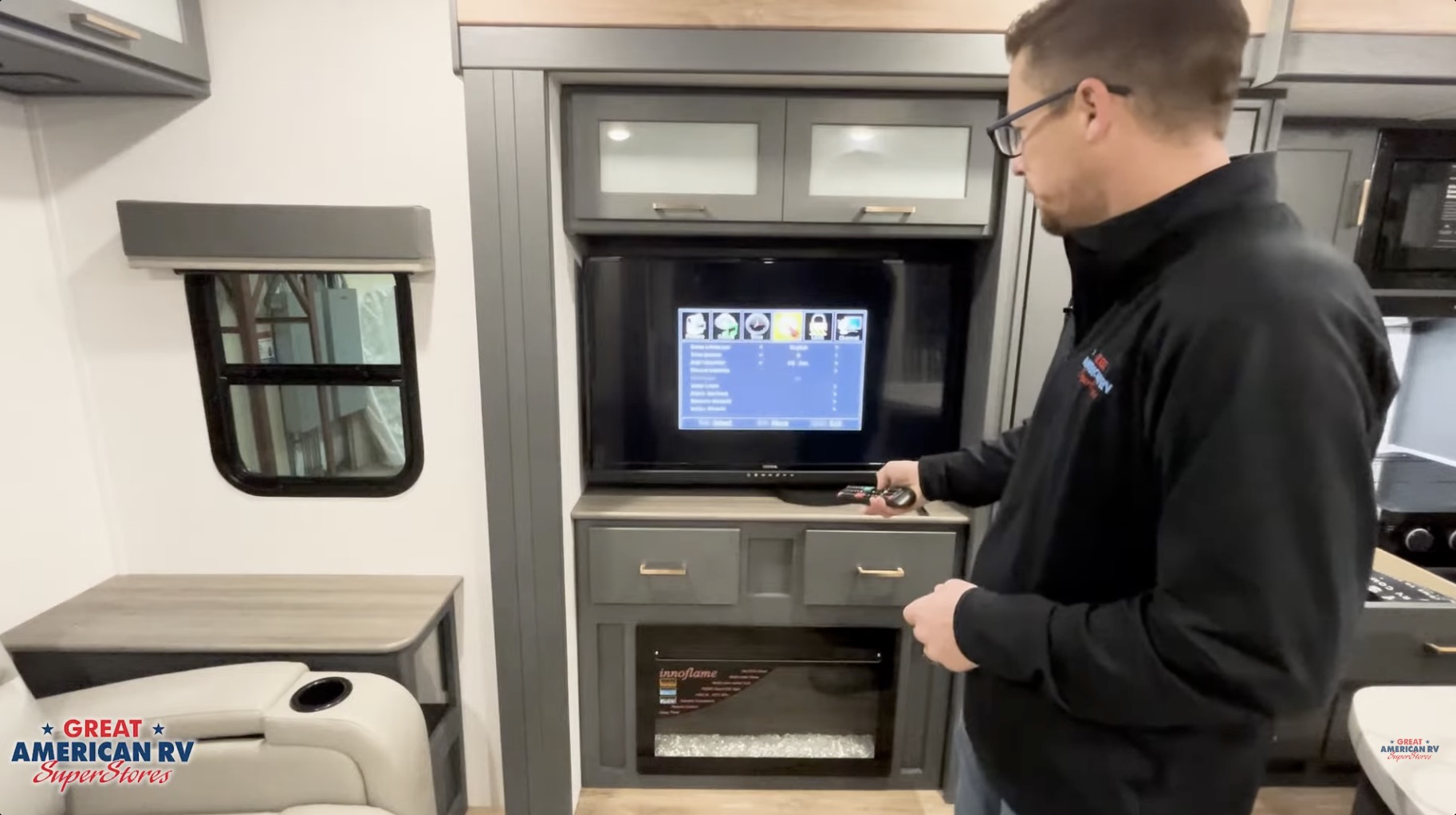
The Connex 12V TV system is far more than just a television — it’s the central entertainment and audio hub in many modern RVs. This all-in-one unit combines a high-definition TV with a built-in Bluetooth receiver, FM radio tuner, USB media player, and multi-zone speaker controller for both interior and exterior audio. Running entirely on your RV’s 12-volt DC house battery system, it works seamlessly off-grid, on shore power, or while towing, without needing 120V AC or propane. In 2026, the Connex system (often branded as KeyTV in Keystone RVs or integrated under Lippert/OneControl ecosystems) remains one of the most popular factory-installed entertainment solutions because of its simplicity, low power draw (typically 2–5 amps average), and ability to handle everything from over-the-air channels to streaming devices and outdoor music.
This comprehensive guide covers every aspect of operating and troubleshooting your Connex 12V TV system: initial power checks and fuse location, TV mode with antenna and cable scanning, input source selection (HDMI, AV, Component), Bluetooth pairing for phone audio, FM radio operation, USB media playback, multi-zone speaker control (Zones A & B), volume and equalizer adjustments, travel preparation, common issues and fixes, preventive maintenance, battery considerations for off-grid use, integration with other RV systems, and an expanded FAQ section based on real owner questions and service bay feedback. Proper setup and care ensure reliable performance for years.
At Great American RV SuperStores, we see Connex systems on nearly every new towable and many motorized deliveries. Owners love the all-in-one design, but most early frustrations come from simple things: blown fuses, weak 12V power, antenna booster settings, or not knowing how to unlock zones or pair Bluetooth. Let’s make it second nature.
Hey Happy Campers! Todd here with Great American RV SuperStores.
Today we’re going in-depth on how to operate, adjust, and troubleshoot your Connex 12V TV system — from checking the inline fuse and scanning channels to pairing your phone via Bluetooth, controlling interior and exterior speakers, playing USB media, using FM radio, preparing for travel, avoiding common pitfalls, maintaining the system, managing power draw off-grid, and answering the questions we hear most often from owners.
If you’d prefer a step-by-step visual demo, check out the full walkthrough on the Great American RV YouTube channel in our Hap’s Helpful Hacks playlist.
Let’s get your entertainment center up and running!
System Overview: What the Connex 12V TV Really Does
The Connex 12V TV is a complete entertainment and audio control center designed specifically for RV use. Key features:
- 12-Volt DC Operation — Runs directly off house batteries (no inverter needed for basic use).
- Built-in TV Tuner — Receives over-the-air (OTA) digital channels via roof antenna or cable/satellite input.
- Bluetooth Receiver — Streams music from your phone to RV speakers.
- FM Radio Tuner — Built-in radio with scan and presets.
- USB Media Player — Plays photos, music, and supported video files from flash drives.
- Multi-Zone Audio Control — Zones A (interior speakers) and B (exterior speakers) with independent volume.
- Multiple Inputs — HDMI (1–3 ports), AV (composite), Component for external devices.
- Remote Control — Full-featured IR remote for all functions.
Power draw is low (2–5A average watching TV; higher with Bluetooth streaming and speakers), making it solar-friendly when paired with 400W+ panels and lithium batteries.
Before You Start: Power Checks and Fuse Location
The Connex is a 12V device — no power, no functions. Always start here:
- Verify 12V Power — House batteries should read 12.6V+ resting (multimeter at battery terminals). If low, charge via shore power, generator, or tow vehicle.
- Check Battery Disconnect Switch — Ensure it’s ON (many RVs have a switch near batteries or in front compartment).
- Locate the Inline Fuse — Pull the TV forward gently (usually mounted in overhead cabinet or wall bracket). Look behind for the power cable — a small inline fuse holder (often 10–15A blade fuse) protects the unit.
- Inspect and Replace — If fuse is blown (broken metal strip), replace with exact amp rating. Carry spares.
If fuse blows repeatedly, there’s a short — check wiring or call service.
TV Mode: Scanning for Channels (OTA Antenna & Cable)
The Connex can receive:
- Air (OTA) channels via roof antenna.
- Cable channels from park pedestal hookup.
How to Scan:
- Press MENU on remote.
- Navigate to Channel → Enter.
- Select Air (antenna) or Cable (park hookup).
- Scroll to Auto Scan → Start scan.
- Wait 2–5 minutes — system finds and saves channels.
Important Antenna Booster Notes:
- Booster ON for Air/OTA — amplifies weak signals.
- Booster OFF for Cable — prevents signal overload.
- Keystone/KeyTV units — no booster; select source and scan.
After scan, use channel up/down or number buttons to tune. Save favorites if desired.
Other Input Sources: HDMI, AV, Component
For streaming sticks, Blu-ray, gaming consoles, or external devices:
- HDMI 1, 2, 3 — Best for modern devices (Roku, Fire Stick, Apple TV).
- AV (red/white/yellow) — Older composite input.
- Component — Analog high-definition (rare in 2026).
To switch:
- Press INPUT or SOURCE on remote.
- Select desired input.
- Device should appear (ensure it’s powered on).
Tip: Label inputs in menu for quick selection.
Bluetooth Mode: Pairing Your Phone
The Connex replaces traditional RV stereos for audio streaming.
Pairing Steps:
- Press SOURCE → Bluetooth.
- Bluetooth screen appears.
- Press Bluetooth Pair on remote (or hold Function until pairing mode).
- TV displays “Pairing” or device name.
- On phone: Settings → Bluetooth → Scan → Select Connex device.
- Pairing complete — audio plays through RV speakers.
Zone Control While Streaming:
- Press A or B to toggle interior/exterior speakers.
- Adjust volume with Zone A/B buttons on remote.
Tip: Name your phone’s Bluetooth connection “RV Connex” for easy identification.
FM Radio Mode
Built-in FM tuner for local stations:
- Press SOURCE → FM Radio.
- Use Scan or Auto Tune to find stations.
- Save presets by holding number buttons.
- Adjust volume via Zone A/B controls.
Great for background music or local weather updates.
Media Mode (USB Playback)
Plug USB flash drive into rear port:
- Press SOURCE → Media or USB.
- Browse folders: Photos, Music, Video (supported formats: MP3, JPEG, MP4, etc.).
- Select file → Play.
- Use remote for pause, skip, repeat.
Compatibility varies — FAT32 formatted drives work best.
Speaker Zones A and B: Interior & Exterior Audio
The Connex controls multi-zone audio:
- Zone A — Interior speakers (living area, bedroom).
- Zone B — Exterior speakers (patio, awning area).
To Use:
- Press A or B to toggle zone on/off.
- Screen shows active zones.
- Adjust volume independently with Zone A/B buttons.
Tip: Turn Zone B off inside to avoid disturbing neighbors.
Travel Preparation and Lock Features
- Secure doors — Use travel straps or locks if equipped.
- Power off — Hold Function 5 seconds (dashes appear).
- Retract antenna — If using OTA.
- Check voltage — Ensure batteries charged for travel.
Maintenance and Care Tips
- Clean screen — Microfiber cloth, no ammonia cleaners.
- Inspect connections — Check HDMI/USB ports for dust.
- Fuse check — Inline fuse behind TV; main 12V panel fuse.
- Ventilation — Ensure rear vents clear.
- Storage — Power off, prop doors open slightly if long-term.
Common Issues and Troubleshooting
No Power — Check inline fuse, battery voltage, disconnect switch. No Sound — Zone off, volume muted, Bluetooth disconnected. Poor OTA Reception — Booster on/off mismatch, antenna alignment. USB Not Reading — Wrong format (FAT32), corrupted drive. Bluetooth Won’t Pair — Restart devices, clear pairings, check interference.
Battery Management for Off-Grid Use
- Average draw 2–5A — 400W solar + 400Ah lithium supports 24/7 use.
- Use Vacation Mode — Reduces draw when away.
- Monitor voltage — Add battery monitor (Victron BMV).
- Avoid deep discharge — Below 11V causes shutdown.
Expanded Frequently Asked Questions
How much power does it draw? 2–5A average; higher with volume up or Bluetooth.
Can I run it on solar only? Yes — 400W+ panels and 400Ah+ batteries work well.
Why no sound from exterior speakers? Zone B off or volume low — press B and adjust.
How to scan OTA channels? Menu → Channel → Air → Auto Scan; booster ON.
What if HDMI doesn’t show picture? Check input selection, device power, cable.
Travel lock knob missing? Replacement from dealer or online (~$10).
Why does TV turn off randomly? Low voltage — charge batteries.
Can I add external speakers? Yes — wire to Zone A/B outputs if equipped.
Best format for USB drive? FAT32; MP3/JPEG/MP4 supported.
How to reset to factory settings? Menu → Settings → Factory Reset (PIN may be required).
Is there an app for Connex? No native app; use Bluetooth for streaming.
Why poor FM reception? Antenna connection or interference — extend antenna.
Can I watch satellite? Yes — HDMI from receiver.
The Bottom Line
The Connex 12V TV system is your RV’s entertainment and audio command center: check power/fuse first, scan channels correctly (booster on/off), pair Bluetooth, control zones, use USB media, and maintain voltage for off-grid. With basic care, it delivers reliable performance.
By following these steps:
- Start with power checks.
- Unlock and navigate panel.
- Use zones and modes effectively.
- Maintain batteries and connections.
You’ll enjoy TV, music, and streaming seamlessly trip after trip.
Watch the Full Video Walkthrough See everything demonstrated step-by-step in our How to Operate Your Connex 12V TV System video from the service team. Find it on the Great American RV SuperStores YouTube channel in the Hap’s Helpful Hacks playlist.
At Great American RV SuperStores, we don’t just sell RVs we help you understand how to use them. We’re making memories one weekend at a time. 🚐
*This content is not a legal standard or regulation, and does not create any new legal obligation. It is advisory in nature, informational in content, and is intended to assist and educate consumers in the use and enjoyment of their recreational vehicles. Great American RV SuperStores does not hereby make any warranty, express or implied, and does not assume any liability with respect to the use of, or damages resulting from the use of any information, method or process included in this content.
Recent Comments