How to Override a Cable-Driven RV Slide-Out in an Emergency
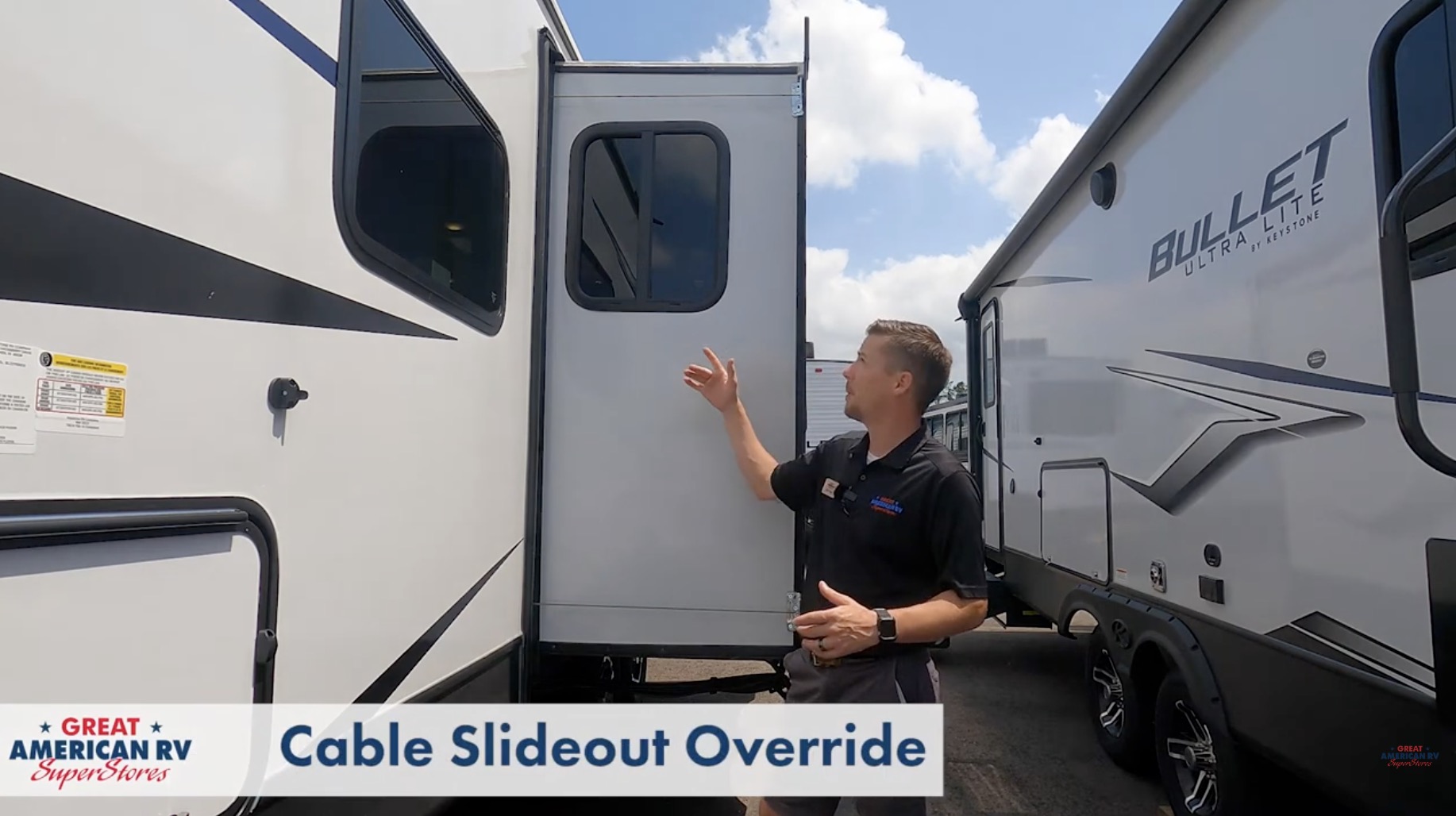
Cable-driven slide-outs are one of the most common mechanisms in towable RVs — travel trailers, fifth wheels, and toy haulers — because they’re lightweight, cost-effective, and reliable when functioning properly. Brands like Lippert (Schwintek-inspired cable systems), Power Gear, and AP Products use cable drives on many mid-range and higher-end models. When they work, the slide glides in and out smoothly with the push of a button. When they fail — due to motor burnout, electrical issues, stripped gears, snapped cables, or control board lockouts — the slide can freeze halfway out, halting your trip until it’s closed for safe travel.
This guide focuses on the emergency manual override for cable-driven slides: how to identify the system, rule out simple fixes, access the motor, perform the override safely, secure the slide for highway travel, and know when professional repair is required. This is not a permanent fix — it’s a get-you-home procedure to avoid towing fees, highway hazards, or further damage.
At Great American RV SuperStores, we see cable-slide emergencies frequently: a motor fails after heavy use, a fuse blows unnoticed, or low battery voltage prevents operation. Knowing these steps can turn a potential disaster into a minor inconvenience.
Hey Happy Campers! Todd here with Great American RV SuperStores.
Today we’re walking through how to manually override a cable-driven RV slide-out in an emergency — identifying the system, basic troubleshooting first, step-by-step access and override, safety precautions, securing for travel, when to call for service, common failure causes, preventive maintenance, upgrade considerations, and expanded FAQs from real owners.
If you’d prefer a step-by-step visual demo, check out the full walkthrough on the Great American RV YouTube channel in our Hap’s Helpful Hacks playlist.
Let’s get that slide closed and you back on the road safely!
How to Identify a Cable-Driven Slide-Out
Spotting a cable system is straightforward once you know the signs:
- Steel cables visible — Look at the top and bottom edges of the slide room from inside or outside. You’ll see thick, braided steel cables running horizontally along both sides.
- One set per side — Typically two cables (top and bottom) per side, routed through pulleys or sheaves.
- No visible rails or arms underneath — Unlike rack-and-pinion (metal rails) or hydraulic (cylinders), cable drives are fully internal; mechanical parts are accessed from inside the RV.
- Motor location — Usually mounted horizontally inside the RV, near the floor or mid-wall, with a gearbox and cable drums.
Common in Keystone, Jayco, Grand Design, and many 2025–2026 models with dual or triple slides.
Before You Override: Rule Out Simple Electrical Issues First
Most slide failures are electrical, not mechanical — fix these before touching cables or motors:
- Battery Voltage — Measure at house batteries: 12.6V+ resting, 12V+ under load. Low voltage (<11.5V) prevents motor startup or causes stalling. Charge batteries fully or jump from tow vehicle.
- 12-Volt Fuse Panel — Locate interior fuse panel (near 120V breakers). Check slide fuse (often 15–30A, labeled “Slides” or “Room”). Blown fuse = no power to motor. Replace with exact amp rating.
- Battery Disconnect Switch — Ensure it’s “ON.” Many owners flip it off for storage and forget.
- Inline Breakers/Fuses — Check near batteries or frame (30–50A resettable breakers for slides). Reset if tripped.
- Control Switch/Remote — Test remote batteries; try wall switch. Loose wiring or bad switch common.
- Ground Connections — Corroded or loose grounds at motor or battery cause intermittent failure.
If voltage is good, fuses intact, and switch works but slide still won’t move, proceed to manual override.
Accessing the Slide Motor and Gearbox
Safety first: Park on level ground, chock wheels, engage parking brake. Disconnect shore power and tow vehicle to avoid accidental activation.
- Remove Interior Fascia/Trim
- Locate trim panel covering slide motor (usually at floor level or mid-wall inside slide room).
- Gently pry with flathead screwdriver or plastic trim tool — panels held by brad nails or clips.
- Work slowly to avoid cracking wood or laminate. Some panels pop off; others have screws behind decorative caps.
- Expose Motor Assembly
- Once trim removed, you’ll see electric motor (12V DC) connected to gearbox.
- Gearbox has cable drums/spools where cables wind/unwind.
- On top or end of motor/gearbox: small circular access port (rubber/plastic cap or hex nut cover).
Manually Overriding the Cable Slide: Step-by-Step
Most cable systems (Lippert, Power Gear, etc.) use the same override method:
- Remove Access Cap — Pry off rubber/plastic cover on motor or gearbox end to expose hex nut (usually 1/2-inch or 13mm) or drive shaft.
- Insert Tool — Use manufacturer-provided crank handle (stored in compartment) or compatible socket/ratchet. Some require a flexible extension shaft.
- Crank Manually
- Clockwise = retract (close slide).
- Counterclockwise = extend (if needed).
- Turn steadily and evenly — expect 50–200 turns depending on slide size and load.
- Have helper watch outside for even movement; stop if binding occurs.
- Continue Until Fully Closed — Bring slide flush with wall; listen for motor clutch or stop point.
- Reinstall Cap/Trim — Snap cover back; reattach trim carefully.
Important: Do not use power drill/impact — high torque strips plastic gears inside gearbox. Hand-crank only.
Securing the Slide for Travel
Once closed:
- If motor/gearbox intact — Cables/gearbox usually hold slide securely. No extra bracing needed for most short trips.
- If cable snapped, chain popped, or slide feels loose — Add internal support:
- 2×4 wood brace cut to fit between slide face and opposite wall.
- Ratchet straps across slide opening (inside).
- Manufacturer locking arms/pins (if equipped).
- Drive cautiously; avoid sharp turns or high speeds until repaired.
What This Procedure Does and Does Not Fix
Override achieves:
- Slide fully retracted for safe towing.
- Prevents road damage (slide extending at speed).
- Buys time to reach service center.
It does not repair:
- Burnt-out motor.
- Stripped gears.
- Broken/snapped cables.
- Misaligned tracks or control board faults.
Schedule professional inspection/repair soon — cable systems can be realigned and motors replaced relatively affordably.
Common Causes of Cable Slide Failure
- Low battery voltage — motor stalls or won’t start.
- Blown fuse/breaker — high amp draw during operation.
- Motor overheating — prolonged use or binding.
- Cable fraying/snapping — wear over years or misalignment.
- Gearbox stripping — forcing override with power tools.
- Control board failure — no signal to motor.
Preventive Maintenance for Cable Slides
- Monthly — Operate slides fully in/out (even short distance) to keep mechanisms lubricated.
- Annually — Inspect cables for fraying, pulleys for wear, motor mounts tight.
- Lubrication — Apply RV-safe dry lube (e.g., silicone spray) to cables/pulleys yearly (avoid grease — attracts dirt).
- Battery Health — Maintain 12.6V+ resting; weak batteries cause most failures.
- Storage — Retract slides fully; cover if exposed.
Upgrades & Alternatives for 2026
Some owners upgrade to rack-and-pinion or hydraulic for reliability. Others add slide lube kits or aftermarket controllers. In 2026, many new towables feature hybrid systems or improved cable tensioners to reduce failure rates.
Expanded Frequently Asked Questions
How do I know if my slide is cable-driven? Cables visible top/bottom both sides, motor inside RV, no external rails/arms.
Slide moves slowly or stops halfway — what first? Check battery voltage (>12V under load), fuses, connections. Low power common.
Can I use a drill on the override? No — strips plastic gears. Hand crank only.
Slide closed but feels loose — do I need bracing? If cables intact and motor holds, usually fine short-term. Add 2×4 brace if unsure.
How many turns to close a slide? 50–200+ depending on size; be patient and even.
What if override won’t turn? Binding or jammed gearbox — stop, check alignment, call service. Don’t force.
Motor hums but slide doesn’t move? Stripped gears or broken cable — override to close, then repair.
How often should cables be inspected? Annually; replace if frayed or stretched.
Can I prevent motor burnout? Avoid running on low battery; limit continuous operation; maintain voltage.
Best lube for cables? Dry silicone or RV slide lube — no petroleum-based grease.
How much does motor replacement cost? $300–$800 parts + labor; cables $100–$300 per side.
Is there a tool kit I should carry for slides? Yes — crank handle (if provided), socket set (1/2″ or 13mm), flexible extension, multimeter, spare fuses (15–30A), flashlight, gloves.
What if the slide is partially out and won’t budge at all? Check for physical obstruction (debris, level ground), then attempt override. If still stuck, professional help may be needed to avoid damage.
Do newer 2026 models have better cable systems? Many feature improved tensioners, stronger cables, and better motor cooling — but maintenance is still key.
Can low voltage damage the slide motor long-term? Yes — repeated low-voltage attempts cause overheating and premature failure.
Should I lube pulleys too? Yes — light dry lube on pulleys reduces friction and wear.
The Bottom Line
A stuck cable-driven slide doesn’t have to end your trip. Rule out power issues first (voltage, fuses, disconnect), access the motor safely, use the manual override with hand tools only, close the slide evenly, and secure if needed. This gets you home safely — then schedule professional repair to restore full function.
By knowing these steps:
- Check basics before manual work.
- Hand-crank only — no power tools.
- Inspect and maintain annually.
- Brace if cables compromised.
You’ll be prepared for the unexpected and keep your RV adventures on track.
Watch the Full Video Walkthrough See everything demonstrated step-by-step in our How to Override a Cable-Driven RV Slide-Out video from the service team. Find it on the Great American RV SuperStores YouTube channel in the Hap’s Helpful Hacks playlist.
At Great American RV SuperStores, we don’t just sell RVs — we help you understand how to use them. We’re making memories one weekend at a time. 🚐
*This content is not a legal standard or regulation, and does not create any new legal obligation. It is advisory in nature, informational in content, and is intended to assist and educate consumers in the use and enjoyment of their recreational vehicles. Great American RV SuperStores does not hereby make any warranty, express or implied, and does not assume any liability with respect to the use of, or damages resulting from the use of any information, method or process included in this content.
Recent Comments